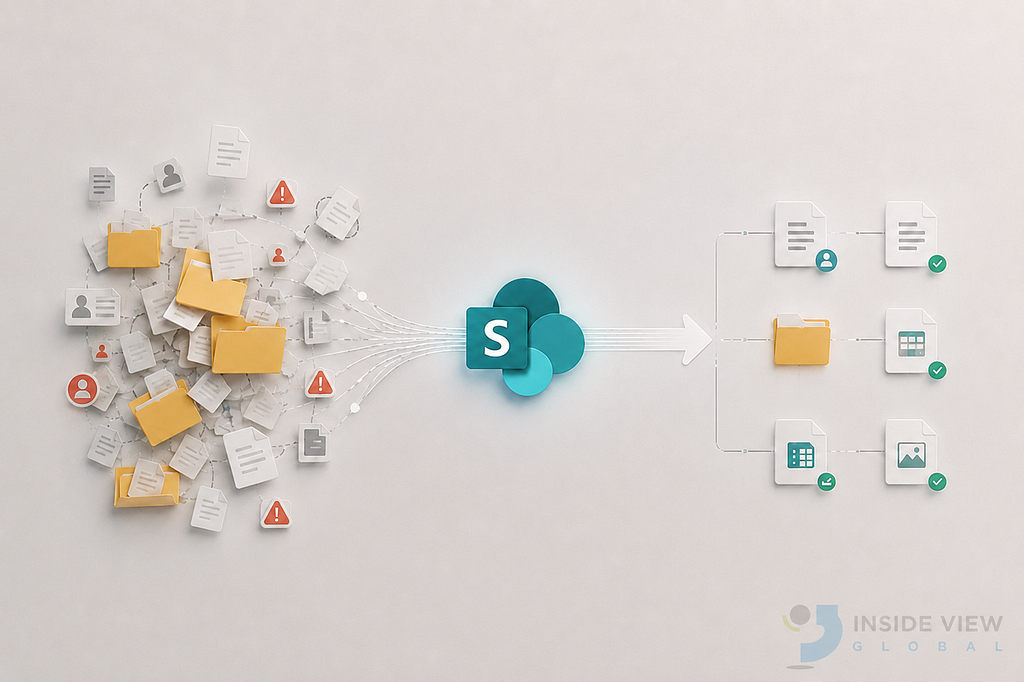
A few months ago, I sat across from a frustrated operations manager. Her company had just finished a “successful” SharePoint migration. Everything had been moved. Nothing was lost. On paper, it was a win. But her team hated it.
Files were impossible to find. People kept emailing attachments. Some were still using the old shared drive “just in case.” She looked at me and said: “We spent six months on this. Why does it feel worse than before?” The answer wasn’t technical. It was strategic.
Here are the 7 mistakes behind her story and behind almost every SharePoint migration that disappoints.
1. They Migrated Everything “As Is”
Her team had moved everything. Twelve years of files. Old drafts. Forgotten projects. Duplicate versions of the same contract. Nobody asked: Do we still need this? So the mess didn’t disappear; it just changed addresses.
The better approach is before moving anything, run a content audit. Keep what adds value. Archive or delete the rest. Migration is the perfect moment to clean the house.
For example, a simple rule that worked for one client: “If it hasn’t been opened in 3 years, it goes to the archive.” They reduced their content by 40% before touching SharePoint. If you want to understand why structure matters before you even start moving files, we cover the fundamentals in our guide to SharePoint Online as a document management solution.

2. They Kept the Same Folder Structure
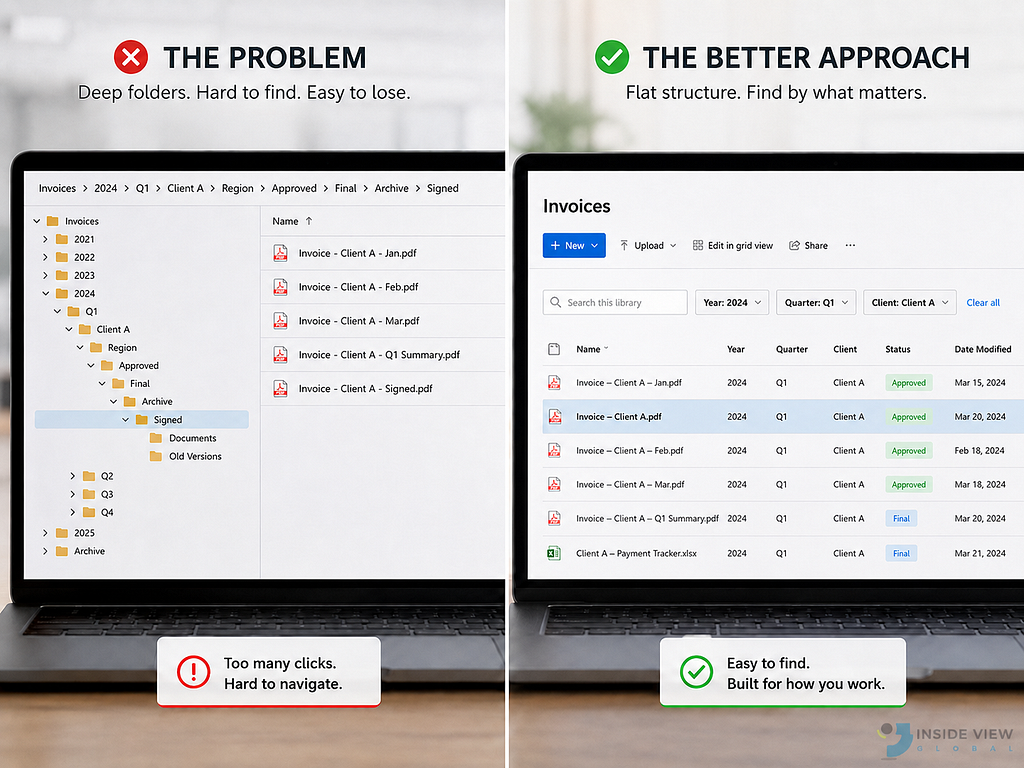
When I opened their new SharePoint, I saw it instantly. Folders inside folders inside folders. One file was buried at nine levels deep. They had recreated the old shared drive just with a Microsoft 365 logo on top.
What actually works is replacing deep folders with metadata. Keep no more than 1–2 levels of structure. Design for search, not for browsing. Learn more about managed metadata in SharePoint
For instance, a finance team replaced “Invoices > 2024 > Q1 > Client A” with one flat library and metadata columns: Year, Quarter, Client. They found documents in seconds.
3. They Had No Information Architecture
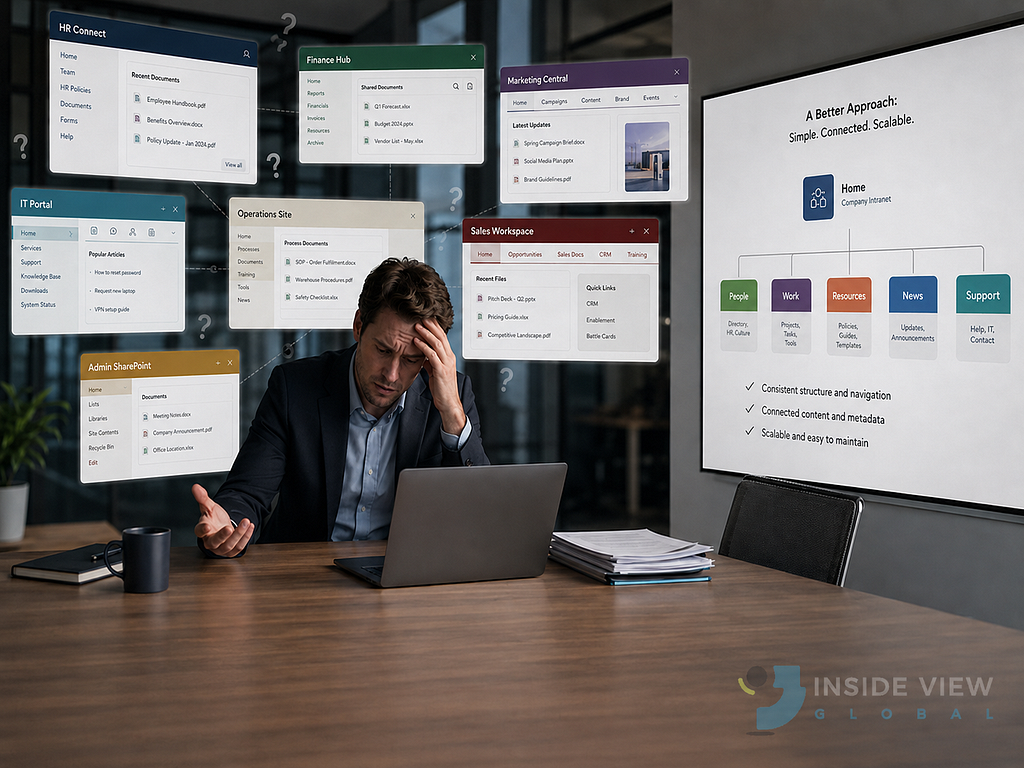
There was no plan. Each department had built its own sites, its own naming rules, its own logic.
The result felt less like a company intranet and more like seven small intranets fighting each other. For that reason, I recommend Define your structure before you migrate:
- Which sites exist and why
- Libraries by function, not by team mood
- Standard metadata everyone uses
Simple. Flat. Scalable.
For example, one of our clients defined just 5 intranet sites for the whole company. Simple. Flat. Easy to maintain. Two years later, it still works.
4. They Forgot About the People
The IT team had done an excellent technical job. The problem was that nobody told the end users. There was no training, no communication, and no one explained “here’s why this is better.” And when people don’t understand a change, they don’t embrace it, they avoid it. So users did what users always do: they went back to what they knew.
Migration is 20% technology and 80% adoption. Train users early. Show them what’s in it for them. Make the new system feel like a relief, not a burden. What I recommend is a short 20-minute “day in the life with SharePoint” session, recorded once and shared with the company, increased adoption by 60% in one month.

5. They Copied Old Permissions
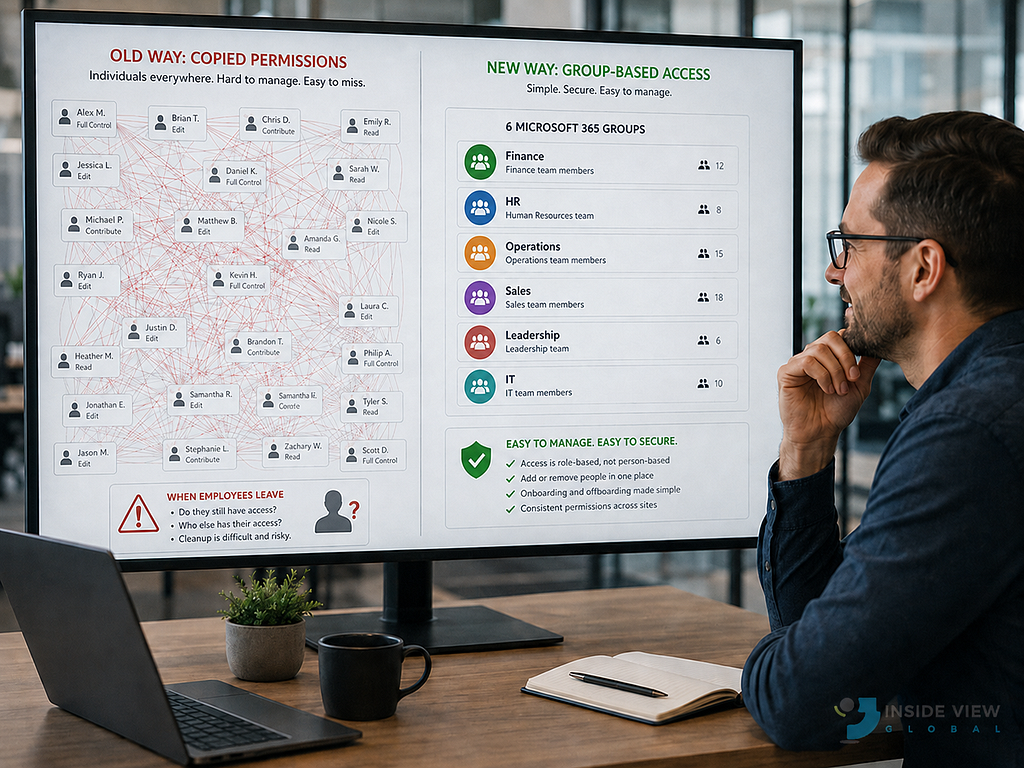
Every individual permission from the old drive had been recreated in SharePoint. Hundreds of unique rules. No one knew who had access to what. When someone left the company, nobody could clean it up safely.
That’s why you should use groups, not individuals. Align permissions with roles. Keep it simple enough that a new IT admin can understand it on day one. For that reason, We replaced 200 individual permissions with 6 Microsoft 365 groups based on departments. Simpler. Safer. Easy for a new admin to understand on day one. Use Microsoft 365 groups instead of assigning permissions to individual users whenever possible. Microsoft also provides guidance on SharePoint permissions and site governance.
6. They Had No Governance Plan
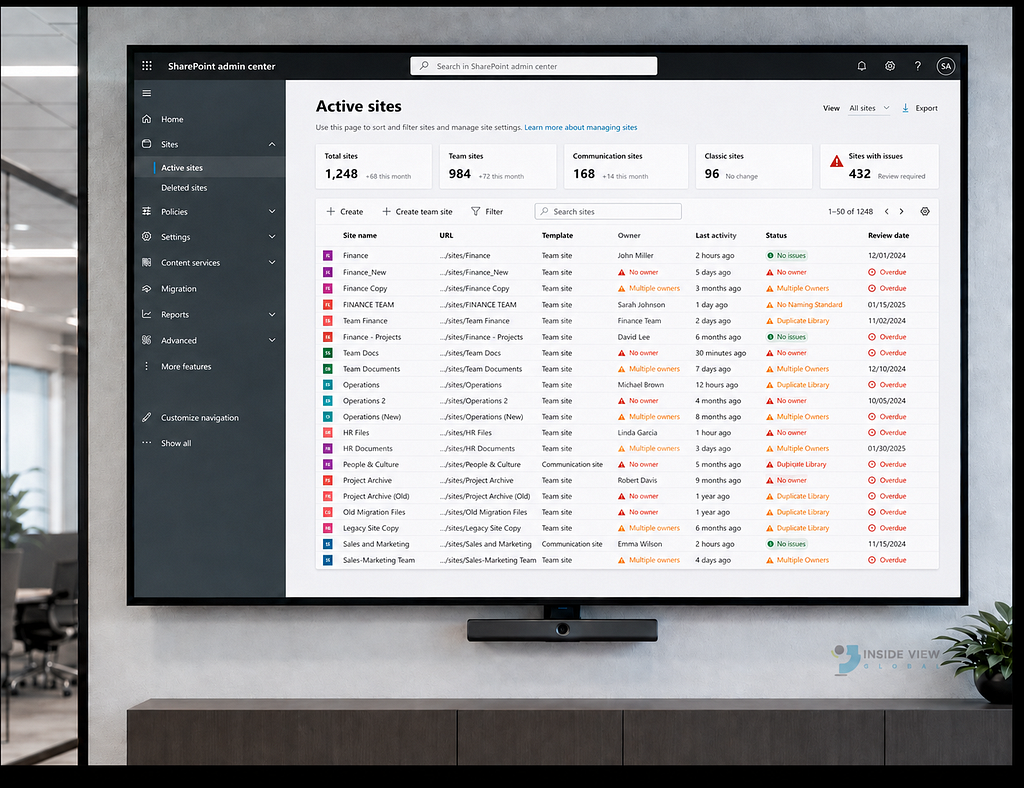
Six months after go-live, the environment looked tired. New sites had appeared out of nowhere. Naming was inconsistent. Some libraries had no owner. Others had three. Without governance, SharePoint grows like a garden no one waters wild and uncontrolled.
What works instead is define naming conventions, ownership, and a content lifecycle before launch. Review it every quarter. For example, a one-page governance document… yes, just one page was enough to keep one client’s environment clean for over a year.
Governance doesn’t have to be complicated. Microsoft recommends defining ownership, permissions, and governance policies before your environment grows. See their guidance on SharePoint site governance.
7. They Treated SharePoint Like File Storage
This was the biggest one. For her team, SharePoint was just “the new place to drop files.” They weren’t co-authoring. They weren’t using Teams integration. They weren’t using versioning. They had a Ferrari. But they were using it as a wheelbarrow.
SharePoint is a collaboration platform, not a hard drive. Co-author in real time. Use versioning. Connect it with Teams. That’s where the value lives.

Migrate the Future, Not the Past
We didn’t redo the migration. We redesigned the experience. We cleaned the contents. Flattened the structure. Added metadata. Trained the team. Set governance rules. Three months later, that same
operations manager sent me a short message: “My team finally trusts SharePoint.”
That’s what a good migration feels like.
Most SharePoint migrations fail for the same reason: They copy the past instead of designing the future. Avoid these 7 mistakes, and you won’t just migrate files. You’ll build a system people actually want to use.
Planning a SharePoint Migration? Let’s talk about your migration.