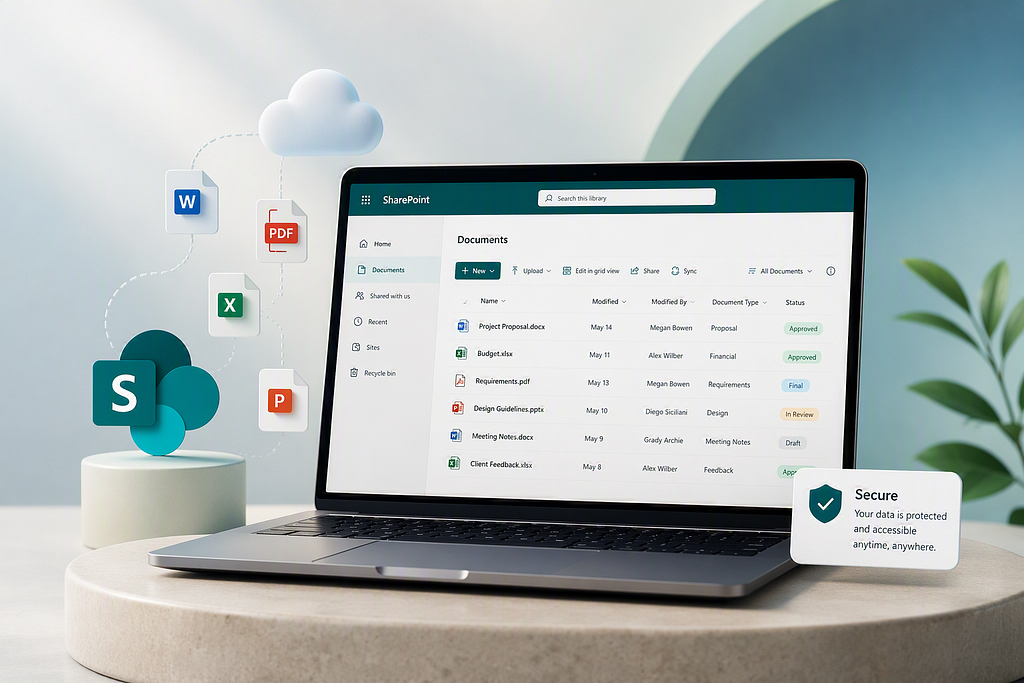
Many organizations use Microsoft 365 daily, but few fully understand how SharePoint Online can be configured to support document management and why that matters for business performance.
SharePoint Online is often seen as “a place to store files.” However, it is a platform that, when properly structured, can support how documents are created, organized, shared, and governed across an organization.
When configured correctly, it enables collaboration, efficiency, and scalability. When not, it becomes just another storage location that creates confusion.
What Is SharePoint Online as a Document Management Solution in Microsoft 365?
Using SharePoint Online for document management means using it as a platform to organize and control documents within Microsoft 365
It is not a document management system by default, but it can be configured to function as one through capabilities such as:
- Centralized document storage
- Version control and history
- Metadata-based organization
- Permissions and access control
- Integration with Teams, Outlook, and OneDrive
Instead of having files scattered, SharePoint Online provides a structured environment where information can be organized and accessed efficiently.
The objective is simple: ensure the right people can find, use, and trust the right documents at the right time.
How SharePoint Online as a Document Management Solution Works
SharePoint online organizes content using a combination of sites, libraries, folders, and metadata.
Here’s a simplified view:
- Sites: Represent a team, department, or project
- Document Libraries: Store related documents
- Folders (limited use): Provide simple grouping
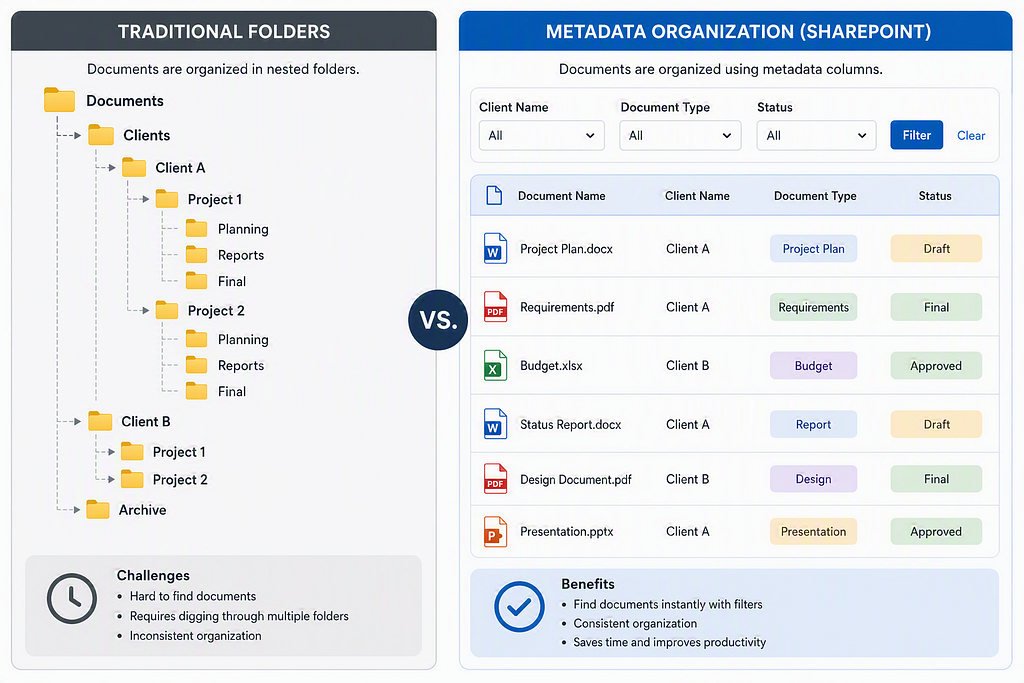
- Metadata: Classifies documents (e.g., type, client, status)
Unlike traditional file servers, SharePoint online is not designed for deep folder structures. Instead, it relies on search, filters, and metadata to help users locate information quickly.
This approach enables:
- Faster document retrieval
- Better organization across large volumes of content
- Improved visibility and control
Example: SharePoint Online Document Library Structure
Just imagine a consulting firm managing multiple clients can structure documents like this:
- Site: Client Hub
- Library: Projects
- Metadata: Client Name, Document Type, Status (Draft, Final, Approved)
Instead of navigating 6–7 folder levels, users can filter documents instantly.
Result: Less time searching, more time working.
Why SharePoint Online Document Management Matters for Business Productivity
Document management is not just an IT topic it directly impacts how your business operates.
- Improve Efficiency and Employee Productivity: Employees spend less time searching for documents and more time using them.
- Create a Single Source of Truth for Business Documents: Everyone works from the same version of a file, reducing duplication and errors.
- Enable Better Collaboration with Microsoft 365: Teams can co-author documents in real time using Microsoft 365 tools.
- Build a Scalable Document Management System: A well-structured system grows with your business without becoming chaotic.
- Prepare SharePoint Content for AI, Copilot, and Automation: Modern capabilities in Microsoft 365 depend on well-organized content. Poor structure limits their value.
The Most Common Mistake: Treating SharePoint Online as a File Storage Tool
Many organizations believe that simply deploying SharePoint automatically gives them document management. It does not.
SharePoint is the platform, not the solution by itself.
The real value comes from:
- How the structure is designed
- How users interact with it
- How governance and ownership are defined
Without this, organizations often fall into common problems like duplication, poor searchability, and low adoption (which we will cover in the next article).
SharePoint Online Document Management Best Practices: What Good Looks Like
When SharePoint document management is implemented correctly:
- Documents are easy to find within seconds
- Teams trust the system as the source of truth
- Content is clean, structured, and up to date
- Collaboration becomes natural, not forced
Most importantly, SharePoint becomes part of daily work not an additional step.
Conclusion: Configure SharePoint Online as a Document Management System That Works
SharePoint document management is not just about storing files it is about creating a system that supports how your business works. In 2026, organizations that succeed are not the ones with the most tools, but the ones that use those tools with clarity and structure. Understanding the fundamentals is the first step toward building a system that actually works.
Introduction to managed metadata — SharePoint in Microsoft 365 | Microsoft Learn
Need Help Configuring SharePoint Online for Document Management?
If you’re starting to evaluate your SharePoint environment or want to build a structure that truly supports your business:
Book a free consultation