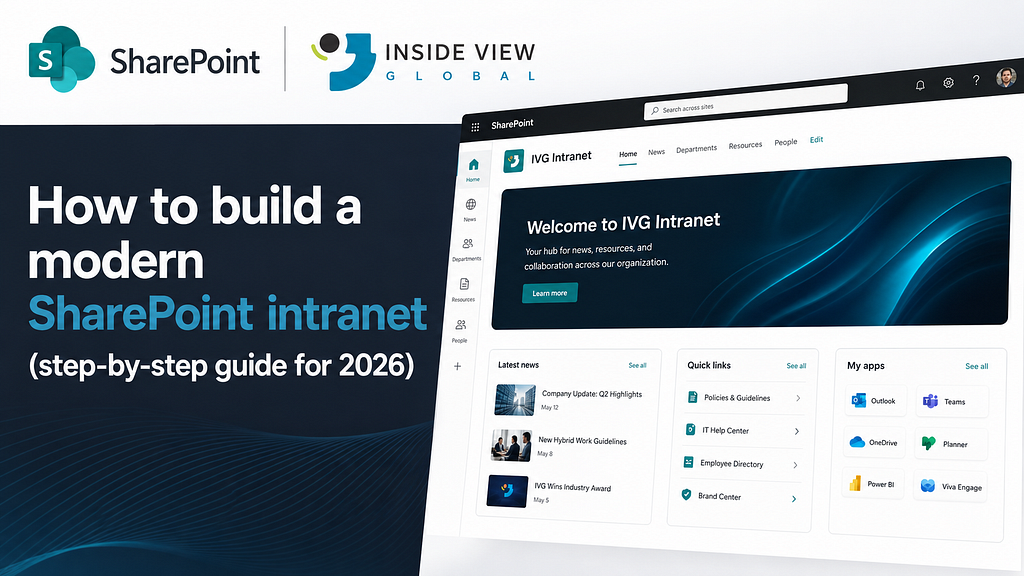
Last year, a client called me with a familiar problem. They had an intranet. Technically. It was a SharePoint site nobody visited. The homepage still had a “Merry Christmas 2022” banner. The news section was empty. The navigation had 34 links, and half of them were broken.
“We don’t need a new tool,” she told me. “We need an intranet people actually open in the morning.”
That’s the real goal of a modern intranet. Not a site. A destination.
Here’s the step by step guide we use at Inside View Global to build SharePoint intranets that people actually use in 2026.
Step 1: Start with the business, not with SharePoint
Most intranet projects start with the wrong question: “What should the intranet look like?”
The right question is: “What does our company need to communicate, find, and get done every day?”
Before opening SharePoint, we always run a short discovery session with the client:
- Who are the users? (employees, managers, field workers, external partners)
- What information do they need daily?
- What are the top 5 tasks they should complete faster?
- What are the current pain points?
For example, one client discovered that 70% of employee questions to HR were about the same 6 topics. That insight alone shaped their entire intranet homepage.
A modern intranet is designed around people and tasks, not around departments and folders.
Step 2: Define a flat information architecture
This is where many intranets start to fall apart. Organizations try to mirror their org chart in SharePoint, creating dozens of sites and subsites that leave employees unsure where to click or where information lives.
In 2026, the most successful intranets take a different approach. Instead of building around departments, they focus on simplicity, a flat structure with no more than two levels of hierarchy. A small number of well defined hub sites makes content easier to find, navigation more intuitive, and governance much easier to manage.
A typical modern SharePoint intranet looks like this:
- Company Hub: news, culture, leadership
- Employee Hub: HR, benefits, policies, IT support
- Knowledge Hub: standards, procedures, templates
- Client / Project Hub: active client work
- Department Hubs: only when truly needed
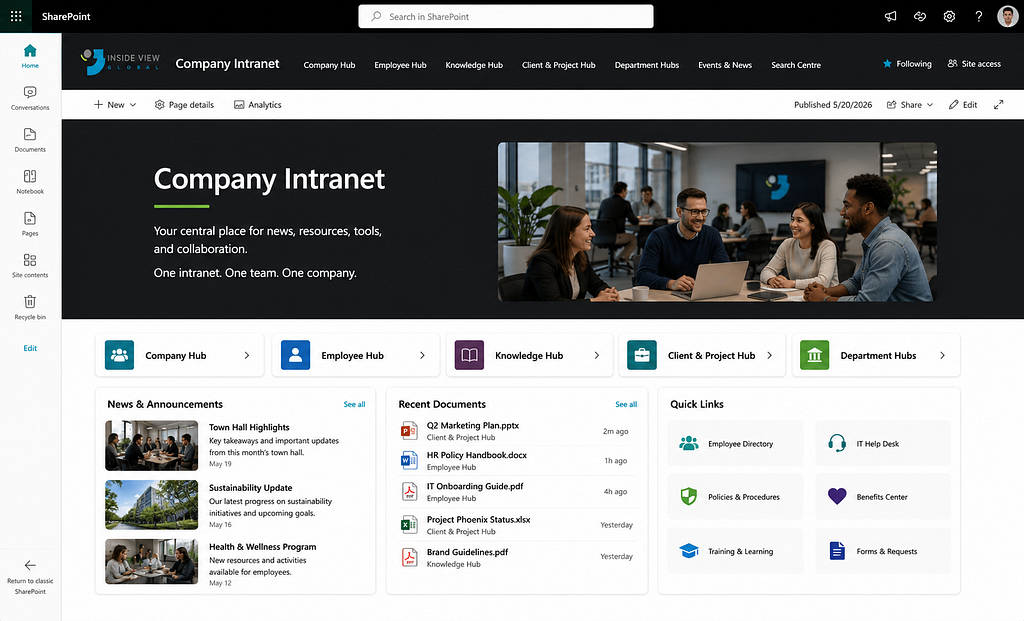
Each hub connects to related sites through SharePoint hub navigation, so users move between areas without getting lost.
If you want to see how this plays out in a real project, we cover similar principles in our guide to 7 SharePoint Migration Mistakes (And How to Avoid Them)
Consolidate instead of fragmenting. Simplify instead of nesting. Design for search, not for navigation.
Step 3: Design a homepage people want to open
The homepage is 80% of the perceived value of your intranet. If it’s boring, outdated, or noisy, users won’t come back.
A modern SharePoint intranet homepage usually has 5 clear zones:
- Hero / news banner: one strong story, not ten.
- Quick links : the 6 to 8 things users need every day (Payroll, request time off, submit a ticket, book a room).
- News feed: company updates, filtered by audience.
- People and recognition: birthdays, new hires, shoutouts.
- Search bar: visible, central, always working.
For instance, one of our clients replaced a wall of 30 links with 6 quick access tiles. Homepage visits doubled in the first month.
Use SharePoint modern pages, web parts, and audience targeting to keep the experience clean and personalized.
A great intranet homepage answers three questions in 5 seconds: What’s new? What do I need to do? Where do I find things?
Step 4: Use metadata, not folders
Instead of deep folders, we use libraries with metadata columns for example: Department, Document Type, Year, Status, Owner.
This lets users filter, sort, and find content in seconds, regardless of where it lives. For instance, one HR team replaced “Policies > 2024 > Benefits > EN” with a single library and 4 metadata columns. New employees now find any policy in under 10 seconds.
This is the same principle behind treating SharePoint as a real system of record, which we break down in our guide to SharePoint document management.
Folders describe location. Metadata describes meaning.
Step 5: Plan governance before you launch
Governance is what keeps an intranet alive. Without it, sites multiply without control, ownership fades, content becomes outdated, and employees lose trust in the platform they’re supposed to rely on.
Before launch, define:
- Ownership: every hub and site has one clear owner.
- Naming conventions: for sites, libraries, and documents.
- Content lifecycle: review, archive, or retire content on a schedule.
- Permissions model: use Microsoft 365 groups, not individual users.
- Creation rules: who can create new sites, and how.
A single one page governance document is often enough as long as someone actually enforces it.
Governance is not bureaucracy. It’s what keeps your intranet alive.
Step 6: Prepare for adoption from day one
An intranet is 20% technology and 80% adoption. And adoption doesn’t happen by accident.
What we recommend to every client:
- Involve users early: run short interviews and a pilot with 1or 2 teams.
- Communicate the “why”: explain what changes, and what’s in it for them.
- Train in small doses: a 20 minute “day in the life with the new intranet” video works better than a 2 hour session.
- Measure and iterate: track visits, searches, and feedback for the first 90 days (about 3 months).
For one client, a simple internal launch campaign(teaser email, launch day event, and a champions network) pushed adoption above 80% in the first month.
Migration is technical. Adoption is human.
Step 7: Integrate with Microsoft 365, don’t isolate SharePoint
A modern intranet is not just SharePoint. It’s the entry point to the entire Microsoft 365 experience.
In 2026, we always integrate:
- Microsoft Teams: surface intranet news and pages inside Teams.
- Viva Connections: bring the intranet into the flow of work on desktop and mobile.
- Power Automate: automate approvals, onboarding, requests, and notifications.
- Copilot: help users find content, summarize policies, and draft communications.
- Outlook: surface intranet content in the daily email flow.
For example, adding Viva Connections gave one of our clients a mobile intranet for their field team in less than two weeks. No custom app required.
A modern intranet meets people where they already work.
Step 8: Brand your intranet so it feels like home
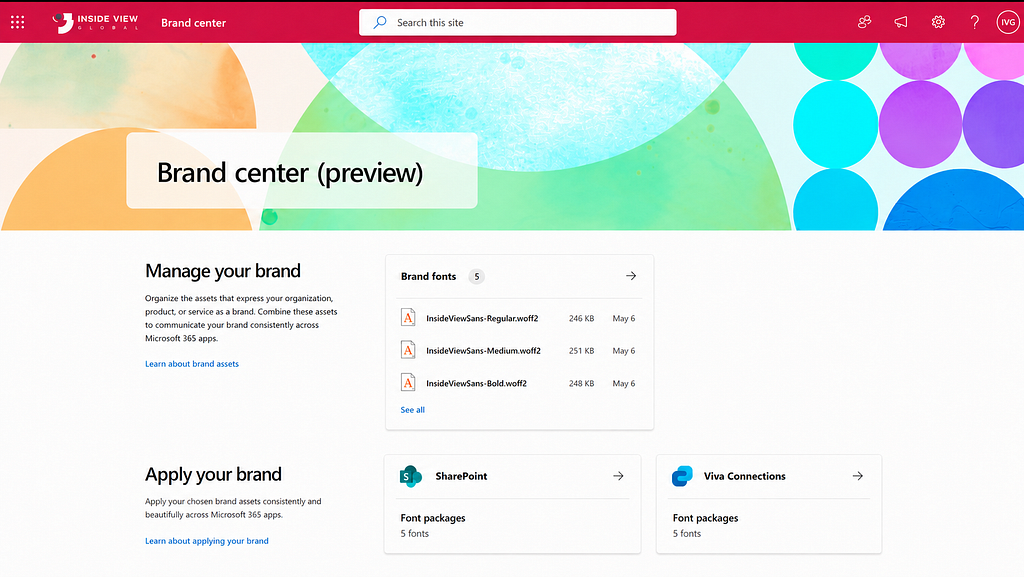
A modern intranet shouldn’t look like a generic SharePoint template. It should feel like an extension of your company; your colors, your voice, your identity.
Branding is what turns a functional site into a place people recognize and trust. When employees open the homepage, they should immediately feel: “This is us.”
In 2026, we always recommend:
- Apply a custom SharePoint theme, like colors, fonts, and logo aligned with your brand guidelines.
- Design a clear visual hierarchy, such as consistent headings, imagery, and spacing across all hub sites.
- Use real photos of your team; not stock images. Nothing kills authenticity faster than a smiling stranger holding a laptop.
- Keep it accessible with high contrast, readable fonts, alt text on images, and mobile friendly layouts.
- Create a small design system for reusable page templates so future content stays consistent.
For example, the client we worked with rebranded their intranet with their own colors, real employee photos, and a consistent header across every hub. Employees started referring to it by its internal nickname instead of “the SharePoint site.” That’s when you know it worked.
A well-branded intranet is not decoration. It’s belonging.
Build the intranet your team deserves
That client I mentioned at the beginning? Six months after launch, she sent me a screenshot of her intranet analytics.
Daily active users had gone from 12% to 78%. The IT ticket queue had dropped by 40%. The “Merry Christmas 2022” banner was long gone.
She wrote: “Our people finally have a home online.” That’s what a modern SharePoint intranet feels like when it’s done right.
If you’re planning to build or rebuild your intranet in 2026, don’t start with the tool. Start with the people, the tasks, and the outcomes. SharePoint will do the rest.
Thinking about building a modern SharePoint intranet? Let’s talk about your project.