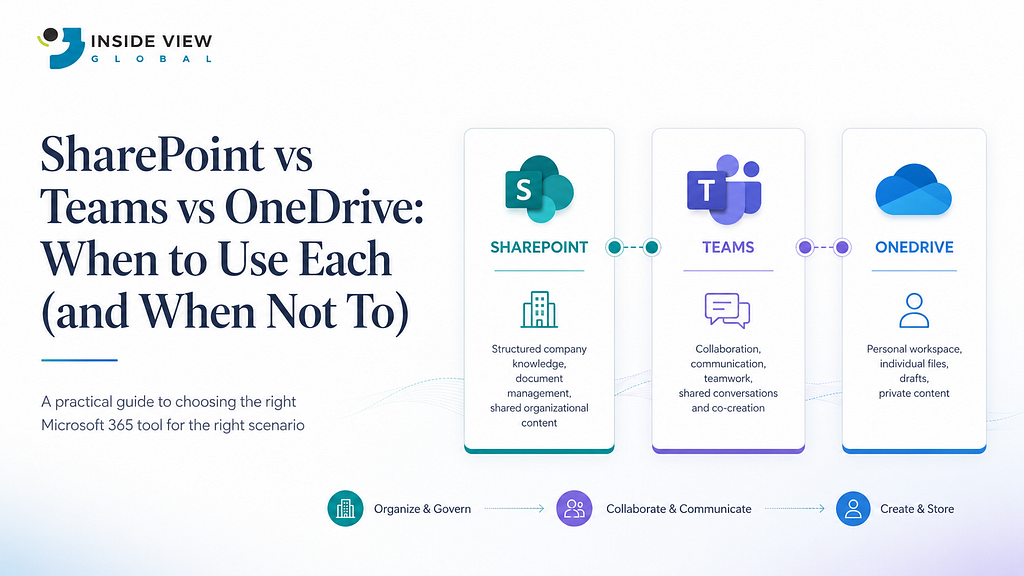
At Inside View Global, we spend a lot of time helping organizations get more value from their Microsoft 365 investment.
One topic seems to come up in almost every workshop, discovery session, or governance discussion. Not security. Not migration. Not licensing. It’s files. Specifically, where they’re supposed to be stored.
I remember sitting with our team after a series of Microsoft 365 workshops, reviewing the same challenge we had seen across multiple organizations. Employees were saving files in Teams, others were storing everything in OneDrive, and some departments were relying heavily on SharePoint. Nobody was intentionally creating confusion. The reality was that most employees understood how to use the tools but didn’t fully understand the purpose of each one.
The result was predictable. Documents became difficult to find, multiple versions of the same file started appearing, and employees spent more time searching for information than actually using it. Everyone was leveraging Microsoft 365, but very few were doing so strategically.
That conversation led to a simple question:
If Microsoft provides SharePoint, Teams, and OneDrive, when should each one actually be used?
The answer is surprisingly simple.
Understanding the Problem
One of the biggest misconceptions in Microsoft 365 is the belief that SharePoint, Teams, and OneDrive perform the same function. While they often work together, each platform was designed to solve a different business problem.
Many organizations focus heavily on getting users adopted to Microsoft 365, which is important. However, once adoption begins, a new challenge emerges. Without clear guidance, employees create their own ways of working.
A project proposal might start in OneDrive, a copy gets uploaded into Teams, and another version is saved in SharePoint. A few months later, nobody knows which version is current or where the official document should live.
This isn’t a technology issue. It’s an information management issue.
A Simple Analogy That Explains Everything
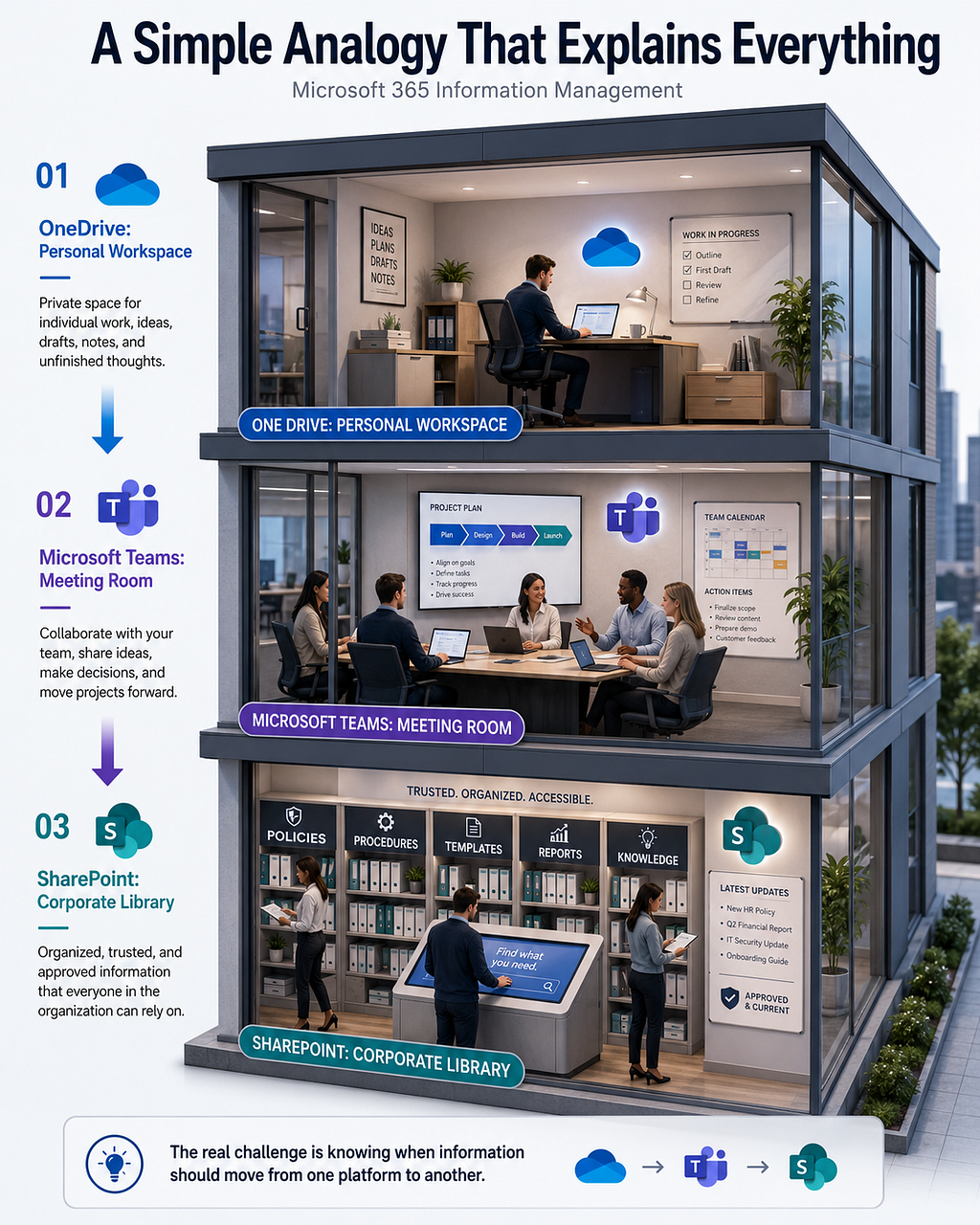
When we explain Microsoft 365 information management to clients, we often avoid technical definitions and use a simple analogy instead.
Imagine your organization is a modern office building.
- OneDrive is your personal workspace. It is where you work on your own files, drafts, notes, and ideas before they are shared with anyone else.
- Microsoft Teams is the meeting room. It is where people collaborate, discuss projects, schedule meetings, and work together.
- SharePoint is the corporate library. It is where important organizational information is stored, organized, maintained, and made available to everyone who needs it.
Once employees understand this concept, the confusion usually disappears. The challenge is no longer deciding which platform to use. The challenge becomes understanding when information should move from one platform to another.
When OneDrive Is the Right Choice
OneDrive is designed for individual productivity. It is the ideal place for work that is still in progress and primarily owned by a single person.
For example, imagine a business analyst starting work on a proposal for a client. The document is still being developed, ideas are changing frequently, and nobody else needs access yet. In this scenario, OneDrive is the perfect location because it allows that individual to work freely without affecting other users.
Good examples of content that belongs in OneDrive include:
- Draft proposals
- Personal notes
- Individual research
- Early-stage project documents
- Temporary working files
What OneDrive should not become is the permanent home for documents that belong to a team or department. As soon as multiple people depend on a file, it is usually time to move beyond personal storage.
When Teams Is the Right Choice
Microsoft Teams is designed for collaboration.
Whenever multiple people need to work together, communicate, or contribute to a shared outcome, Teams becomes the natural workspace. Teams brings together conversations, meetings, shared files, and collaboration into a single interface, making it easier for groups to stay aligned and work toward a common goal.
Teams is particularly effective when organizations need to:
- Collaborate across departments
- Manage active projects
- Hold meetings and workshops
- Share and review documents
- Centralize project conversations
- Coordinate day-to-day teamwork
However, Teams is not intended to be a long-term content repository. One mistake we frequently see is organizations treating Teams as a filing cabinet instead of a collaboration platform. Over time, channels become overcrowded, documents become difficult to locate, and historical information becomes increasingly difficult to manage.
When SharePoint Is the Right Choice
If Teams is where people collaborate, SharePoint is where organizations manage information.
Many organizations underestimate SharePoint because they see it only as a document storage platform. In reality, SharePoint is the foundation of document management, knowledge management, intranets, and information governance within Microsoft 365.
Think about the types of information employees search for every day:
- Corporate policies
- Department procedures
- Employee onboarding materials
- Knowledge articles
- Templates
- Training resources
This is exactly where SharePoint excels.
Employees should not have to search multiple Teams channels looking for an HR policy or a company standard. They should have a central, trusted source of information. SharePoint provides that structure while also supporting security, governance, and long-term information management.
The Best Strategy: Use All Three
The most successful organizations do not choose between SharePoint, Teams, and OneDrive.
Instead, they understand how information should move between them.
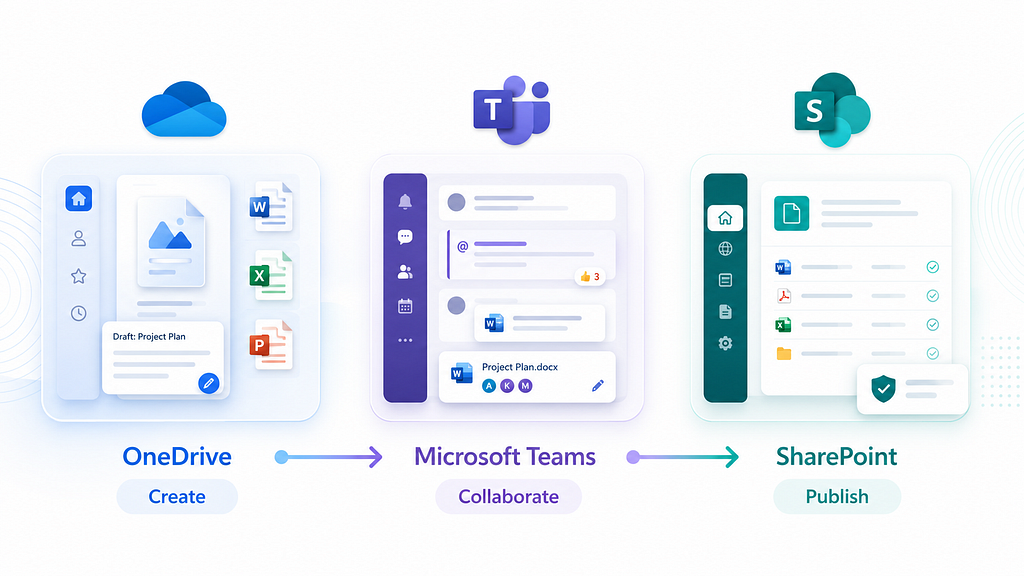
A document often starts in OneDrive where an individual develops the initial content. Once collaboration begins, the document moves into Teams so the project team can contribute. When the work is approved and becomes valuable organizational knowledge, it is published to SharePoint where it can be governed and accessed by the broader organization.
The lifecycle becomes:
Organizations that embrace this approach often experience improved user adoption, stronger governance, and significantly less confusion around document management.
Conclusion
The question should never be,”Which is better: SharePoint, Teams, or OneDrive?”
Each platform serves a unique purpose.
- OneDrive supports personal productivity.
- Teams supports collaboration.
- SharePoint supports information management.
When organizations clearly define the role of each platform, employees spend less time searching for content and more time creating value. And in our experience at Inside View Global, that is one of the simplest ways to maximize the return on a Microsoft 365 investment.